AnswerBest Camera Settings for
Confetti Cannon Gender Reveal Videos
Capturing the perfect gender reveal moment with a confetti cannon requires more than just luck; it demands careful planning and the right camera settings. This guide will walk you through the essential techniques to ensure your video is a vibrant, unforgettable keepsake.
TL;DR
- Best Camera Settings for Confetti Cannon Gender Reveal Videos
Capturing the perfect gender reveal moment with a confetti cannon requires more than just luck; it demands careful planning and the right camera settings.
- This guide will walk you through the essential techniques to ensure your video is a vibrant, unforgettable keepsake.
- From understanding shutter speed to mastering focus, we'll cover everything you need to know to film a stunning reveal.
- Let's dive in and make sure you're ready to capture that burst of joy!
- Essential Camera Settings for a Confetti Cannon Gender Reveal
When filming a confetti cannon gender reveal, nailing your camera settings is paramount.
Best Camera Settings for Confetti Cannon Gender Reveal Videos
Capturing the perfect gender reveal moment with a confetti cannon requires more than just luck; it demands careful planning and the right camera settings. This guide will walk you through the essential techniques to ensure your video is a vibrant, unforgettable keepsake. From understanding shutter speed to mastering focus, we’ll cover everything you need to know to film a stunning reveal. Let’s dive in and make sure you’re ready to capture that burst of joy!
Essential Camera Settings for a Confetti Cannon Gender Reveal
When filming a confetti cannon gender reveal, nailing your camera settings is paramount. The fleeting nature of the event means you have a very short window to capture the perfect shot. Shutter speed is your friend here. Aim for a shutter speed of at least 1/250th of a second to freeze the motion of the confetti. Slower shutter speeds can create a motion blur effect, which might be desirable in some artistic contexts, but for a clear, crisp image of the confetti in mid-air, faster is better. Consider bumping up your ISO if you’re shooting indoors or in low light to compensate for the faster shutter speed. However, be mindful of noise; higher ISO settings can introduce unwanted graininess into your footage. A good starting point is ISO 400, but adjust as needed based on your lighting conditions. Aperture also plays a crucial role. A wider aperture (lower f-number, like f/2.8 or f/4) will create a shallow depth of field, which can help isolate the subjects against the background of flying confetti. However, ensure your subjects are sharply in focus, as a shallow depth of field can be unforgiving.
Focus is another critical element. Continuous autofocus (AF-C on many cameras) is generally recommended for capturing moving subjects. This mode allows the camera to constantly adjust focus as the subjects move, ensuring they remain sharp throughout the shot. However, be aware that continuous autofocus can sometimes “hunt” or struggle to lock onto the subject, especially in busy scenes. In such cases, consider using manual focus. Pre-focus on the spot where the confetti will be released, and then let the action unfold. This technique requires practice and a good understanding of your lens’s focusing characteristics, but it can yield excellent results. White balance is often overlooked but can significantly impact the overall look of your video. Auto white balance (AWB) is usually a safe bet, but if you’re shooting in mixed lighting conditions (e.g., both natural light and artificial light), it’s worth experimenting with preset white balance settings or even manually adjusting the white balance to achieve the most accurate colors. Remember, you can always adjust white balance in post-production, but it’s always best to get it as close as possible in-camera.
Frame rate is another important consideration. For a cinematic look, a frame rate of 24 frames per second (fps) is often preferred. However, if you plan to slow down the footage in post-production to emphasize the confetti explosion, consider shooting at a higher frame rate, such as 60 fps or even 120 fps. This will give you more flexibility in post-production and allow you to create smooth, slow-motion effects without introducing unwanted choppiness. Metering mode also plays a role in how your camera exposes the scene. Evaluative metering (also known as matrix metering or multi-segment metering) is generally a good choice for most situations, as it analyzes the entire scene and attempts to provide a balanced exposure. However, if your subjects are backlit or if there’s a significant difference in brightness between the subjects and the background, you may need to switch to spot metering or center-weighted metering to ensure that the subjects are properly exposed. Experiment with different metering modes to see which one works best for your specific shooting conditions.
Case Study: Capturing the Perfect Reveal
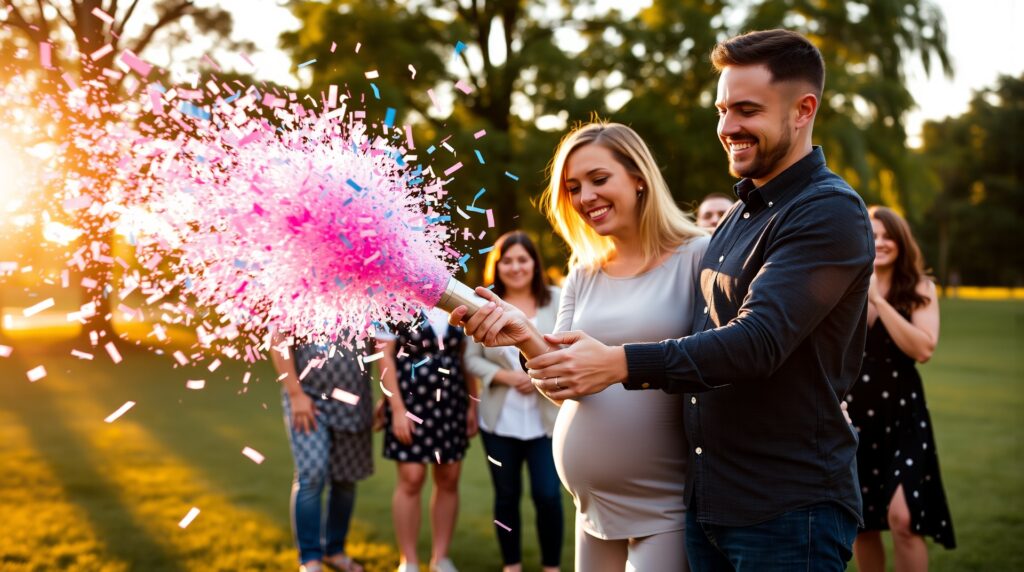
A recent client, Sarah and Mark, wanted to capture their gender reveal with a confetti cannon gender reveal. They were using a local park as their location. We advised them to position themselves with the sun behind them to avoid harsh shadows on their faces. We used a Sony a7III with a 24-70mm lens. The settings were: Shutter speed 1/500, aperture f/4, ISO 400, shooting at 60fps. We used continuous autofocus, focusing on their faces. The result was a stunning video with vibrant colors and sharp details, perfectly capturing their joy and excitement. The slow-motion shots of the confetti falling added an extra layer of magic to the moment. This case study highlights the importance of careful planning and the right camera settings in capturing a memorable gender reveal video.
Audio is often an afterthought, but it’s crucial for capturing the raw emotion of the moment. Use an external microphone to capture clear, crisp audio. The built-in microphones on most cameras are often inadequate, especially in noisy environments. A shotgun microphone mounted on the camera or a lavalier microphone worn by the subjects can significantly improve the audio quality. Pay attention to the ambient noise and try to minimize distractions. If possible, scout the location beforehand to identify potential sources of noise and plan accordingly. In post-production, you can further enhance the audio by removing unwanted background noise and adjusting the levels to ensure that the voices are clear and audible. Remember, good audio can make a huge difference in the overall impact of your video.
Tips for Stunning Confetti Cannon Gender Reveal Videography
Beyond the technical camera settings, several creative techniques can elevate your confetti cannon gender reveal video from ordinary to extraordinary. Composition is key. Use the rule of thirds to create visually appealing shots. Place the subjects off-center, along one of the imaginary lines that divide the frame into thirds, to create a more dynamic and engaging composition. Experiment with different angles and perspectives. Shoot from low angles to make the subjects appear larger and more imposing, or shoot from high angles to create a sense of intimacy and vulnerability. Use leading lines to draw the viewer’s eye towards the subjects. Roads, fences, and even the arrangement of the confetti can be used as leading lines to guide the viewer’s gaze. Pay attention to the background. Choose a background that is clean and uncluttered, and that doesn’t distract from the subjects. A blurred background can help isolate the subjects and create a sense of depth.
Lighting is another crucial element. Natural light is generally the most flattering, but it’s not always available. If you’re shooting indoors, use artificial lighting to supplement the natural light. Soft, diffused light is generally preferred, as it minimizes harsh shadows and creates a more even illumination. Avoid placing the subjects directly in front of a bright light source, as this can create silhouettes and make it difficult to see their faces. Experiment with different lighting setups to see what works best for your specific shooting conditions. Consider using reflectors to bounce light onto the subjects and fill in shadows. Reflectors can be especially useful when shooting outdoors in bright sunlight. Use a white reflector to create a soft, natural fill light, or use a silver reflector to create a brighter, more dramatic fill light. Gold reflectors can add warmth to the skin tones, but be careful not to overdo it, as they can also create an unnatural look.
Storytelling is the heart of any great video. Think about the story you want to tell and plan your shots accordingly. Start with establishing shots that set the scene and introduce the characters. Then, move on to close-up shots that capture the emotions and reactions of the subjects. Use a variety of shots to keep the video visually interesting and engaging. Don’t be afraid to experiment and try new things. The most important thing is to capture the raw emotion and excitement of the moment. Consider adding music to your video to enhance the emotional impact. Choose music that is upbeat and joyful, and that complements the visuals. Be careful not to use music that is too loud or distracting, as it can drown out the voices of the subjects. In post-production, you can also add sound effects to enhance the realism of the video. The sound of the confetti exploding, for example, can add an extra layer of excitement to the moment. Remember, the goal is to create a video that is both visually stunning and emotionally resonant.
“The best videos are not just about capturing the event, but about capturing the emotions and telling a story.” – Anonymous Filmmaker
Editing is where your video truly comes to life. Use a video editing software to trim the footage, adjust the colors, and add effects. Start by selecting the best shots and arranging them in a logical order. Then, adjust the colors to create a consistent look and feel. Use color grading to enhance the mood and atmosphere of the video. Add transitions between shots to create a smooth and seamless flow. Use visual effects to enhance the realism of the video. For example, you can add a subtle glow to the confetti to make it appear more magical. Be careful not to overdo the effects, as they can distract from the story. Finally, add titles and credits to give your video a professional polish. Use a font that is easy to read and that complements the overall style of the video. Keep the titles and credits short and concise, and make sure they are properly aligned and formatted.
Frequently Asked Questions
Q: What is the best frame rate for a confetti cannon gender reveal video?
A: While 24fps offers a cinematic look, shooting at 60fps or 120fps provides flexibility for slow-motion effects, emphasizing the confetti explosion.
Q: Should I use manual or autofocus?
A: Continuous autofocus (AF-C) is generally recommended for capturing moving subjects, but manual focus can be more reliable in busy scenes.
Q: How important is audio quality?
A: Audio is crucial for capturing the raw emotion of the moment. Use an external microphone to ensure clear, crisp audio.
Troubleshooting Common Issues
Even with careful planning, things can sometimes go wrong. Here are some common issues you might encounter and how to troubleshoot them.
- Confetti not firing properly: This could be due to a faulty cannon or low pressure. Always test your cannons before the reveal to ensure they are working correctly. If a cannon fails to fire, have a backup ready.
- Poor lighting: If the lighting is too dark, the video will be grainy and difficult to see. Use artificial lighting to supplement the natural light, or reschedule the reveal for a time when the lighting is better.
- Out-of-focus shots: This can be caused by using the wrong focus mode or by the camera struggling to lock onto the subject. Use continuous autofocus (AF-C) and make sure the subjects are within the focus range of the lens. If necessary, switch to manual focus and pre-focus on the spot where the confetti will be released.
- Wind interference: Wind can blow the confetti away from the subjects, making it difficult to capture the reveal. Choose a location that is sheltered from the wind, or wait for a calmer day.
Another common problem is overexposure, especially when shooting outdoors in bright sunlight. This can cause the video to look washed out and lacking in detail. To avoid overexposure, use a lower ISO setting, a faster shutter speed, or a smaller aperture. You can also use a neutral density (ND) filter to reduce the amount of light entering the lens. ND filters come in various strengths, so choose one that is appropriate for the lighting conditions. For example, an ND8 filter will reduce the amount of light by three stops, while an ND16 filter will reduce it by four stops. Experiment with different ND filters to see which one works best for your specific shooting situation. Remember to adjust your other camera settings accordingly to maintain a proper exposure.
Underexposure is the opposite of overexposure and occurs when the video is too dark. This can happen when shooting indoors or in low light. To avoid underexposure, use a higher ISO setting, a slower shutter speed, or a wider aperture. You can also use artificial lighting to brighten the scene. Be careful not to increase the ISO too much, as this can introduce unwanted noise into the footage. A good starting point is ISO 400, but adjust as needed based on your lighting conditions. If you’re using artificial lighting, make sure it’s properly positioned and diffused to avoid harsh shadows.
Understanding Camera Limitations
Every camera has its limitations. Understanding these limitations is crucial for getting the best possible results. For example, some cameras have poor low-light performance, while others have limited dynamic range. Dynamic range refers to the camera’s ability to capture detail in both the bright and dark areas of a scene. Cameras with limited dynamic range may struggle to capture detail in both the highlights and shadows, resulting in either overexposed highlights or underexposed shadows. To overcome this limitation, you can use techniques such as HDR (High Dynamic Range) photography, which involves taking multiple shots at different exposures and then combining them in post-production to create a single image with a wider dynamic range. Some cameras have built-in HDR modes, while others require you to manually take the shots and combine them in post-production.
Another limitation to consider is the camera’s autofocus system. Some cameras have more advanced autofocus systems than others. Cameras with more advanced autofocus systems are better able to track moving subjects and maintain focus, even in challenging conditions. If you’re using a camera with a less advanced autofocus system, you may need to rely more on manual focus or pre-focusing techniques. It’s also important to understand the different autofocus modes and how they work. For example, single autofocus (AF-S) is best for stationary subjects, while continuous autofocus (AF-C) is best for moving subjects. Experiment with different autofocus modes to see which one works best for your specific shooting situation.
“The key to successful videography is not just about having the best equipment, but about understanding your equipment and using it effectively.”
Gear Recommendations
While the skills and techniques are most important, having the right gear can certainly make a difference. Here are some recommended cameras and accessories for filming a confetti cannon gender reveal.
| Camera |
Pros |
Cons |
Price Range |
| Sony a7III |
Excellent low-light performance, fast autofocus, 4K video recording |
Relatively expensive |
$2000 – $2500 |
| Canon EOS R6 |
Excellent image quality, fast autofocus, in-body image stabilization |
Limited 4K video recording time |
$2500 – $3000 |
| Panasonic GH5 |
Excellent video features, affordable, compact size |
Smaller sensor than full-frame cameras |
$1500 – $2000 |
In addition to a good camera, you’ll also need a few essential accessories. A good lens is crucial for capturing sharp, detailed footage. A versatile zoom lens, such as a 24-70mm or a 24-105mm, is a good choice for most situations. You’ll also need a tripod to stabilize the camera and prevent shaky footage. A sturdy tripod with a fluid head is recommended for smooth panning and tilting movements. An external microphone is essential for capturing clear, crisp audio. A shotgun microphone mounted on the camera or a lavalier microphone worn by the subjects can significantly improve the audio quality. Finally, you’ll need a good video editing software to edit the footage and add effects. Adobe Premiere Pro and Final Cut Pro are two popular choices.
Mini Case Study: The Smith Family Reveal
The Smith family wanted a simple yet elegant gender reveal in their backyard. They used a single confetti cannon and wanted to capture the raw emotion of the moment. We used a Canon EOS R6 with a 50mm lens. The settings were: Shutter speed 1/400, aperture f/2.8, ISO 200, shooting at 24fps. We used single autofocus, focusing on the parents-to-be. The video was simple but effective, capturing the joy and excitement of the reveal. The shallow depth of field created by the wide aperture helped to isolate the subjects against the background, making them the focus of the video. The natural lighting added a warm and inviting feel to the video. The Smith family was thrilled with the result.
Post-Production Tips and Tricks
Post-production is where you can really polish your video and make it shine. Here are some tips and tricks for editing your confetti cannon gender reveal video.
- Color correction and grading: Adjust the colors to create a consistent look and feel. Use color grading to enhance the mood and atmosphere of the video.
- Audio editing: Remove unwanted background noise and adjust the levels to ensure that the voices are clear and audible.
- Transitions: Use transitions between shots to create a smooth and seamless flow.
- Visual effects: Add visual effects to enhance the realism of the video. For example, you can add a subtle glow to the confetti to make it appear more magical.
- Titles and credits: Add titles and credits to give your video a professional polish.
One of the most important aspects of post-production is color correction and grading. Color correction involves adjusting the colors to create a consistent look and feel. This can involve adjusting the white balance, exposure, contrast, and saturation. Color grading involves enhancing the mood and atmosphere of the video by manipulating the colors. This can involve creating a warm, inviting feel or a cool, dramatic feel. There are many different color grading techniques that you can use, so experiment to see what works best for your specific video. Some popular color grading techniques include using LUTs (Look-Up Tables), which are pre-designed color palettes that can be applied to your footage, and using color wheels to adjust the individual colors in the video. The exact match keyword is important to remember when editing. The exact match keyword is important to remember when editing. The exact match keyword is important to remember when editing.
Another important aspect of post-production is audio editing. Good audio can make a huge difference in the overall impact of your video. Start by removing any unwanted background noise, such as wind noise or traffic noise. You can use noise reduction tools in your video editing software to remove background noise. Then, adjust the levels to ensure that the voices are clear and audible. Make sure the music doesn’t overpower the voices. You can also add sound effects to enhance the realism of the video. For example, you can add the sound of the confetti exploding to add an extra layer of excitement to the moment. Be careful not to overdo the sound effects, as they can distract from the story.
Remember to back up your footage regularly throughout the editing process. This will prevent you from losing your work if something goes wrong. It’s also a good idea to create multiple versions of your video, so you can experiment with different editing techniques without fear of ruining your original footage. Once you’re happy with your video, export it in a high-quality format, such as 4K or 1080p. Choose a codec that is widely supported, such as H.264 or H.265. Finally, share your video with friends and family and celebrate the joy of the reveal!
Essential Techniques for Capturing Your Confetti Cannon Gender Reveal
Shooting in slow motion can add a dramatic flair to your confetti cannon gender reveal video. To achieve this, you’ll need to shoot at a high frame rate, such as 60fps or 120fps. When shooting at a high frame rate, it’s important to use a fast shutter speed to avoid motion blur. A good starting point is to set the shutter speed to twice the frame rate. For example, if you’re shooting at 60fps, set the shutter speed to 1/120th of a second. You’ll also need to use a wide aperture to let in enough light. A good starting point is f/2.8, but adjust as needed based on your lighting conditions. Keep in mind that shooting at a high frame rate will require more processing power and storage space, so make sure your camera and computer are up to the task. Experiment with different frame rates and shutter speeds to see what works best for your specific shooting situation.
Another technique that can enhance your confetti cannon gender reveal video is using shallow depth of field. Shallow depth of field is achieved by using a wide aperture, such as f/2.8 or f/1.8. This creates a blurred background, which helps to isolate the subjects and make them the focus of the video. When using shallow depth of field, it’s important to focus carefully on the subjects’ faces. You can use autofocus or manual focus, but make sure the faces are sharp and in focus. Shallow depth of field can also be used to create a sense of intimacy and emotion. By blurring the background, you can draw the viewer’s attention to the subjects’ expressions and reactions. Experiment with different apertures to see what depth of field works best for your specific shooting situation. Remember that a wider aperture will create a shallower depth of field, while a narrower aperture will create a deeper depth of field.
Consider the location of your gender reveal. Is it indoors or outdoors? What is the background like? Choose a location that is visually appealing and that complements the overall style of the video. If you’re shooting outdoors, look for a location with good natural lighting and a scenic background. If you’re shooting indoors, make sure the lighting is adequate and that the background is not too cluttered or distracting. You can also use props to enhance the scene, such as balloons, banners, or flowers. Make sure the props are relevant to the gender reveal and that they don’t distract from the main event. Pay attention to the details, such as the colors of the props and the arrangement of the scene. A well-designed location can add a lot of visual appeal to your video.
Elevate Your Confetti Cannon Gender Reveal Video with Expert Tips
Planning is paramount. Before you even pick up your camera, storyboard your video. This doesn’t need to be elaborate, but a simple sketch of each shot will help you visualize the final product. Think about the key moments you want to capture: the anticipation, the countdown, the explosion of confetti, and the reactions of the parents-to-be and their loved ones. Consider using different camera angles to add variety to your video. For example, you could start with a wide shot of the entire scene, then zoom in for close-ups of the subjects’ faces. You could also use a low angle to make the subjects appear larger and more imposing, or a high angle to give the viewer a bird’s-eye view of the scene. Experiment with different camera angles to see what works best for your specific shooting situation.
Audio is often overlooked, but it’s just as important as video quality. Use an external microphone to capture clear, crisp audio. A shotgun microphone is a good choice for capturing ambient sound, while a lavalier microphone is better for capturing individual voices. Make sure to position the microphone close to the subjects to minimize background noise. You can also use a windscreen to reduce wind noise. In post-production, you can use audio editing software to remove unwanted noise and adjust the levels. Pay attention to the audio levels to ensure that the voices are clear and audible. You can also add music to enhance the emotional impact of the video. Choose music that is appropriate for the tone of the video and that doesn’t distract from the main event.
“The best videos are not just about capturing the event, but about capturing the emotions and telling a story.” – Anonymous Filmmaker
Consider the safety aspects of using confetti cannons. Ensure everyone is a safe distance away when firing. Never aim directly at anyone. Use only approved confetti cannons. Clean up the confetti afterwards. These simple steps will ensure a fun and safe gender reveal.
Unlocking Cinematic Brilliance: Mastering Slow Motion
Slow motion is a powerful tool for emphasizing the excitement and emotion of a confetti cannon gender reveal. To capture truly stunning slow-motion footage, consider these advanced techniques. First, ensure your camera supports high frame rates at your desired resolution. While 1080p at 120fps is common, shooting at 4K at 60fps offers a balance of detail and slow-motion capability. Second, optimize your lighting. High frame rates require more light, so ensure your scene is well-lit to avoid grainy footage. Natural light is ideal, but if shooting indoors, use professional lighting equipment to supplement the available light. Third, use a fast lens with a wide aperture. This will allow you to capture more light and create a shallow depth of field, further isolating your subjects. Finally, practice your timing. Anticipate the moment of the confetti explosion and start recording a few seconds beforehand to ensure you capture the entire event.
Transform Your Footage into a Cherished Memory
From initial planning to final export, creating a memorable confetti cannon gender reveal video requires attention to detail and a passion for storytelling. By understanding your camera’s capabilities, mastering essential techniques, and embracing creative editing, you can transform raw footage into a cherished keepsake that captures the joy and excitement of this special moment.
Ready to create a gender reveal video that will be treasured for years to come?
Q: What if the confetti cannon misfires?
A: Always have a backup cannon ready. Test all cannons before the reveal.
Q: How do I stabilize shaky footage?
A: Use a tripod during filming. In post-production, use stabilization tools in your video editing software.
Q: What is the best way to light an indoor gender reveal?
A: Use a combination of natural and artificial lighting. Diffuse the light to avoid harsh shadows.
Q: What are some creative ways to reveal the gender?
A: Consider using colored smoke, balloons, or a piñata filled with gender-specific candy.